
Qwilr vs Docusign: which is right for your sales team?
Docusign is built to get an agreement signed. Qwilr is built to win the decision that comes before the signature, then take the signature and the payment on the same page.
Where Qwilr does more than sign
No send allowance to watch
Docusign's eSignature plans include an envelope allowance for each user every year. Qwilr puts no limit on how many pages you create or send, on any plan, so a strong quarter does not turn into a conversation with procurement.
Everything on one link
The pitch, the case studies, the video, an interactive quote the buyer configures and the signature all sit on the same Qwilr page. There is no attachment to open, no second system to log into, and nothing that gets separated from the conversation it belongs to.
Learn something before they sign
Qwilr's analytics show how long a buyer spent on pricing against the case studies, when they came back for a second look, and who else opened the page after it was forwarded. A rep can act on that while the deal is still moving.

















What's the difference?
Every row below can be checked against either vendor's own documentation.
What changes when the proposal is a page
The proposal does the selling
One page carries the pitch, the pricing, the video and the e-signature together, so nothing gets attached, forwarded or lost between the last conversation and the contract. QwilrPay then takes a deposit at the moment of acceptance, which is the point at which a buyer is most willing to pay one.
See what happened before the signature
A Qwilr page reports which sections held attention, which were skipped, who came back and who it was forwarded to. Alerts reach Slack while the deal is still warm rather than after it has gone quiet, so the follow-up call can be about what the buyer was reading.
Let the buyer choose, then let them prove it
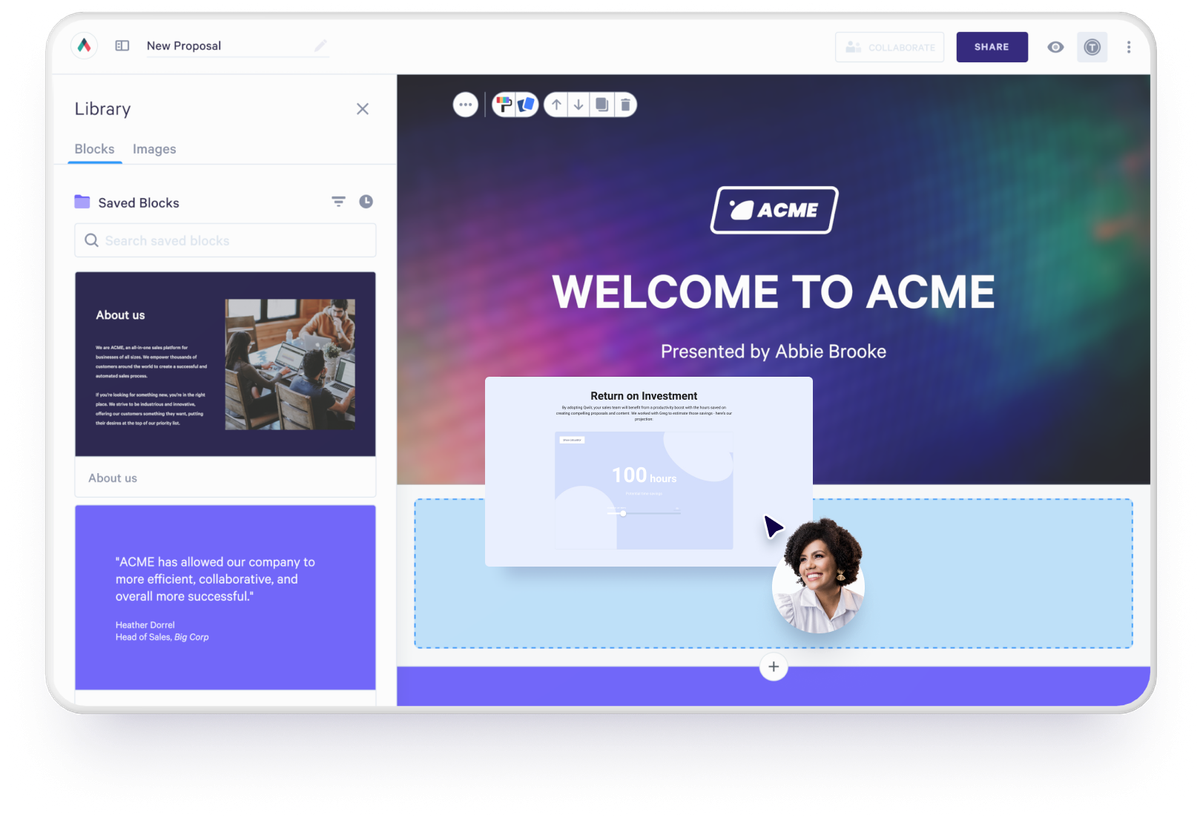
Quote blocks let a buyer switch packages, change quantities and add optional items with the total updating live, and an ROI calculator lets them run their own figures. The version they accept is what writes back to your CRM through HubSpot, Salesforce, Pipedrive or Zoho.

Moving across from Docusign
There is nothing to migrate. A Docusign signing flow is an envelope built around a document, and the Qwilr equivalent is a page template, so the work is rebuilding your best few rather than importing files. Brand styles are set once and every page inherits them, your CRM connects through HubSpot, Pipedrive, Zoho, Salesforce or Microsoft Dynamics 365, and completed envelopes stay in Docusign as your historical record.
Teams who replaced a signing tool



Qwilr is such an effective way to deliver proposal documents compared to traditional tools like PandaDoc/Docusign, etc.



“We’re seeing deals close a lot faster while also adding a level of professionalism and enjoying powerful insights. None of these things we were getting through the use of PDFs and e-signature software alone.”



“Sometimes, we’re not even able to get in the room. Our proposal has to be the representation of the salesperson and have all the information a customer needs because our product is complex.”
What people are saying on G2
Verified reviews from Qwilr customers on G2.
Best purchase of the year!
“Qwilr helped simplify our tech stack and took our document signing to the next level!”

Excellent platform for time saving and uniformity
It is an all in one system where we can quote, sign a contract, and line up payment within on platform.
One log in for sales people is the dream and the goal to being effective and efficient.

Great tool!
Their proposal looks like super neat web page and it impresses my prospect when I show them that. It makes us look professional and on top of technology

Fantastic proposal app
Flexible, beautiful interface.
I have used a handful of other proposal apps and Qwilr is by far the best one I've used when it comes to design and functionality.

Simple to use and looks great
“The templated capabilities are fantastic and allow you to enhance proposals without having to re-invent the wheel.”

Elevated our proposals to a whole new level
“Qwilr allows us to create and present engaging and eye catching proposals, that capture attention and stand-out from the competition.”

Qwilr vs Docusign: frequently asked questions
It depends which part of the deal you are trying to fix. Docusign is built for getting agreements signed at scale across a whole business. Qwilr is built for the stage before that, where the proposal has to persuade, where buyers should be able to configure their own pricing, and where a rep needs to see what landed. Qwilr also handles the signature and the payment, so for a sales team it usually covers both stages.
The main difference is what the buyer opens. Docusign sends a document to be signed. Qwilr sends an interactive web page carrying the pitch, live pricing, signature and payment on one link, and you can update that page after sending without reissuing anything.
Yes. Qwilr includes e-signatures on every plan, with a certified audit trail recording each step of the acceptance, and its e-sign functionality aligns with the basic requirements of the E-SIGN Act and UETA. For quotes, proposals and sales agreements, the whole flow from pitch to signature to payment happens in Qwilr.
No. Every Qwilr plan includes unlimited pages, so how much you send is never what decides your bill. Docusign's eSignature plans include an envelope allowance for each user each year, which is worth checking against what your team really sends before comparing headline prices.
Qwilr, on the proposal itself. Docusign's reporting covers envelope status and signing history, which tells you where the paperwork has got to. Qwilr's analytics go inside the page, capturing which sections a buyer read, who each viewer was and when engagement is building, so a rep knows which deal to call before anyone signs.
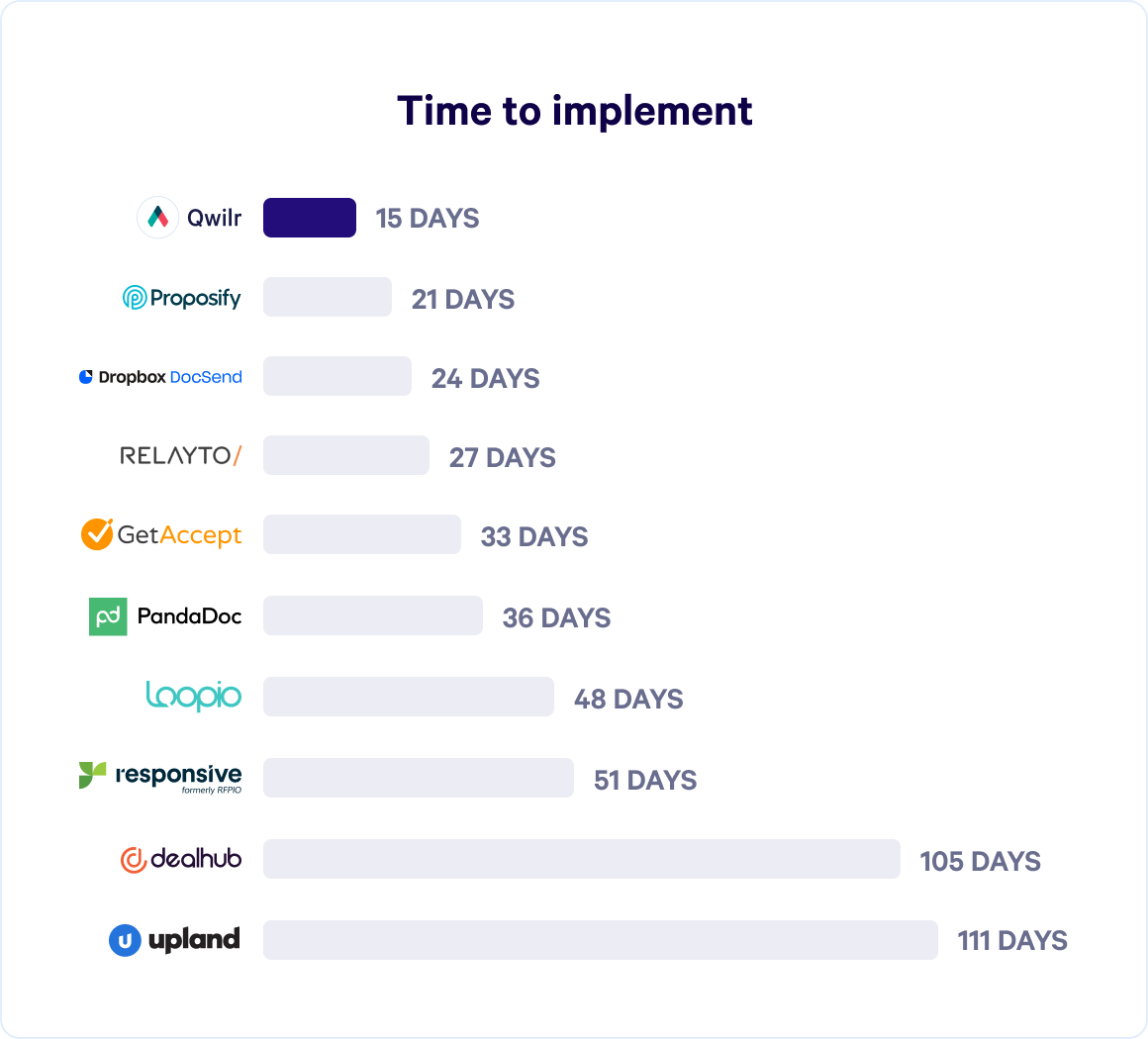
Faster than a contract system migration, because there is no data to move. Completed envelopes stay in Docusign as your record, and you rebuild your best few templates as Qwilr pages. Most of the effort goes into deciding what the new proposal should say rather than configuring software, and our design team builds the first template with you.